
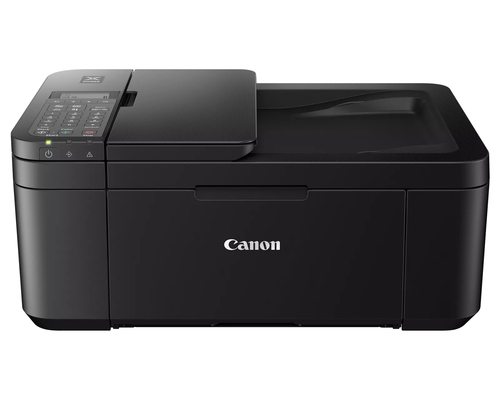
 Drag to turn · 4 views
PIXMA TR4720 Inkjet A4 4800 x 1200 DPI 8.8 ppm Wi-Fi
- PRINT, COPY, SCAN, FAX: the PIXMA TR4720 is a true 4-in-1 printer
- SIMPLE INITIAL SETUP through the Canon PRINT Inkjet/SELPHY app2
- EASY CARTRIDGE INSTALLATION & replacement
- Easy to load FRONT PAPER TRAY — 100 sheet plain paper capacity
- AUTO DOCUMENT FEEDER, efficiently scans multi-page documents up to legal size
- Save up to 50% of your paper costs with AUTO 2-SIDED (DUPLEX) PRINTING for letter size documents
- Reply within 1 business day
- Volume & business pricing
- Shipping across Canada & US
Overview
Compact, Versatile, Easy-to-Use
For all your work or home printing needs, the PIXMA TR4720 Wireless1 All-in-One Printer has you covered. Enjoy simple setup through the Canon PRINT Inkjet/SELPHY App2 and an easy to install 2-Cartridge hybrid ink system and front loading 100-sheet paper tray. Big on performance, the PIXMA TR4720 is equipped with Auto 2-Sided Printing, an Auto Document Feeder for multi-page scanning, and built-in Fax functionality. With a variety of connectivity options, you'll be able to do it all from your PC or mobile devices — plus, the PIXMA TR4720 is compatible with Canon apps for printing, scanning, creative projects and more. Simple, productive office and home printing in a compact size — that’s the PIXMA TR4720.
EASY SETUP
Enjoy simple setup through the Canon PRINT Inkjet/SELPHY App. Download the app, connect to the printer, follow a few easy steps on the screen, and you’re ready to print wirelessly!
EASY TO INSTALL
Designed for easy ink cartridge installation and replacement, the PIXMA TR4720 only needs 2 cartridges to print documents and photos.
FRONT PAPER TRAY
A fast and easy to load front paper tray with 100-sheet plain paper capacity reduces the need to refill paper as frequently.
DESIGNED FOR YOUR SPACE
PIXMA TR4720 has a compact design, available in black or white, to fit your space at the office or at home.
EFFICIENT DOCUMENT PRINTING & SCANNING
Scan up to Legal size multi-page documents efficiently with the Auto Document Feeder. And save up to 50% of your paper costs with Auto 2-Sided (Duplex) Printing for Letter size documents.
QUALITY DOCUMENTS & PHOTOS
The PIXMA TR4720 utilizes a hybrid ink system with pigment-based black and dye-based color for sharp black text and vivid color prints. Product quality documents, photos, and also borderless11 prints up to 8.5” x 11”.
SIMPLE PRINTER INTERFACE
With the 2-Line LCD display and simple buttons, easily adjust printer settings, make copies, and send faxes with the number pad. Receive a Document Removal Reminder on the display if you forget your original document on the scanner.
CANON PRINT APP
Print and scan photos or documents right from your mobile devices or cloud services with the convenient Canon PRINT Inkjet/SELPHY App.
CONNECT YOUR WAY
Print directly from your favorite iOS and Android™ devices without drivers or apps using AirPrint®3 and Mopria® Print Service4. Plus, print from connected cloud-based services through PIXMA Cloud Link2. The TR4720 also has voice-activated Smart Assistant Support for compatible Amazon Alexa and Google Home devices.
UNLEASH YOUR CREATIVITY
Get creative with Canon with a variety of apps and programs. Use Easy PhotoPrint Editor5 to print collages, calendars, business cards, ID photos and more. With Creative Park App6 you can explore and print projects like crafts, decorations, and games. And create and edit posters with Poster Artist Lite7 for Windows PCs.
INK WHEN YOU NEED IT
The TR4720 is compatible with Canon’s Auto Replenishment Service and PIXMA Print Plan, to help save you time and unplanned trips to the store. Subscribe to get ink delivered to your door when you need it.
Specifications
Printing
- Duplex printing mode
- Auto
- Print technology
- Inkjet
- Printing
- Colour printing
- Duplex printing
- Yes
- Maximum resolution
- 4800 x 1200 DPI
- Print speed (black, normal quality, A4/US Letter)
- 8.8 ppm
- Print speed (colour, normal quality, A4/US Letter)
- 4.4 ppm
Copying
- Duplex copying
- Yes
- Copying
- Colour copying
- Maximum copy size
- A4
- Maximum number of copies
- 99 copies
Scanning
- Duplex scanning
- Yes
- Scanning
- Colour scanning
- Optical scanning resolution
- 600 x 1200 DPI
- Scanner type
- Flatbed scanner
- Scan technology
- CIS
Fax
- Faxing
- Colour faxing
- Fax resolution (black)
- 300 x 300 DPI
- Fax resolution (colour)
- 200 x 200 DPI
Features
- Duplex functions
- Copy, Print, Scan
- Number of print cartridges
- 4
- Printing colours
- Black, Cyan, Magenta, Yellow
Input & output capacity
- Total number of input trays
- 1
- Total input capacity
- 100 sheets
- Total output capacity
- 100 sheets
Paper handling
- Maximum ISO A-series paper size
- A4
Ports & interfaces
- Direct printing
- Yes
- USB port
- Yes
Network
- Wi-Fi
- Yes
- Ethernet LAN
- No
- Wi-Fi standards
- 802.11b, 802.11g, Wi-Fi 4 (802.11n)
Performance
- Sound pressure level (printing)
- 56.5 dB
Design
- Product colour
- Black
- Market positioning
- Home & office
- Built-in display
- Yes
- Display
- LCD
Power
- Power consumption (max)
- 7 W
- Power consumption (standby)
- 0.8 W
- Power consumption (off)
- 0.3 W
- AC input voltage
- 100 - 240 V
System requirements
- Windows operating systems supported
- Windows 10, Windows 7, Windows 8.1
- Mac operating systems supported
- Mac OS X 10.12 Sierra, Mac OS X 10.15 Catalina
- Mobile operating systems supported
- Android, iOS, iPadOS
Operational conditions
- Operating relative humidity (H-H)
- 10 - 90%
- Operating temperature (T-T)
- 5 - 35 °C
Weight & dimensions
- Width
- 436 mm
- Depth
- 297 mm
- Height
- 190 mm
- Weight
- 5.76 kg
Downloads
More in Inkjet Cartridges
 CanonCartridge 057 High Capacity Black Compatibility MF449DW / MF448DW / MF
3010C001 CanonCartridge 055 Black
3016C001 CanonPG-260 Black Ink Cartridge
3707C001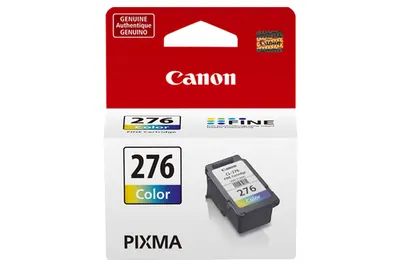 CanonCL-276 Ink Cartridge
4988C001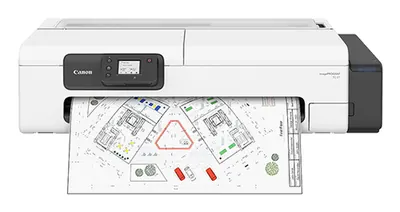 CanonTC21 Printer, US AC Power Cable, Print head PF08, 70ml Ink Bottles BK/
7055C002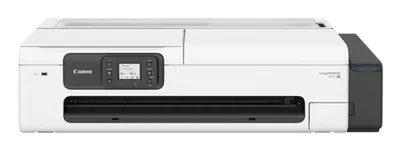 CanonimagePROGRAF TC21M US AC Power Cable Maintenance Cartridge Installed P
7058C002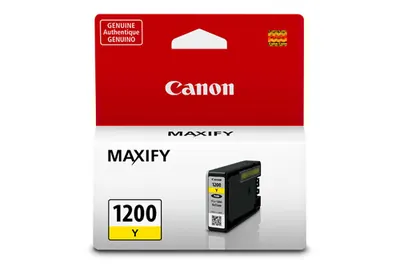 CanonPGI1200 Yellow Ink Tank
9234B001 HPHP 61 Black Original Ink Cartridge
C0PA4AN